

Mac के लिए GJ File Manager

गंभीर file work के लिए dedicated workspace।

एक native macOS file manager जो workspaces, file groups, tabs, Quick Look, search, sync, clipboard history, network files, settings और permissions को एक शांत desktop surface में लाता है।

हर जगह search पहले preview Folders compare Local-first
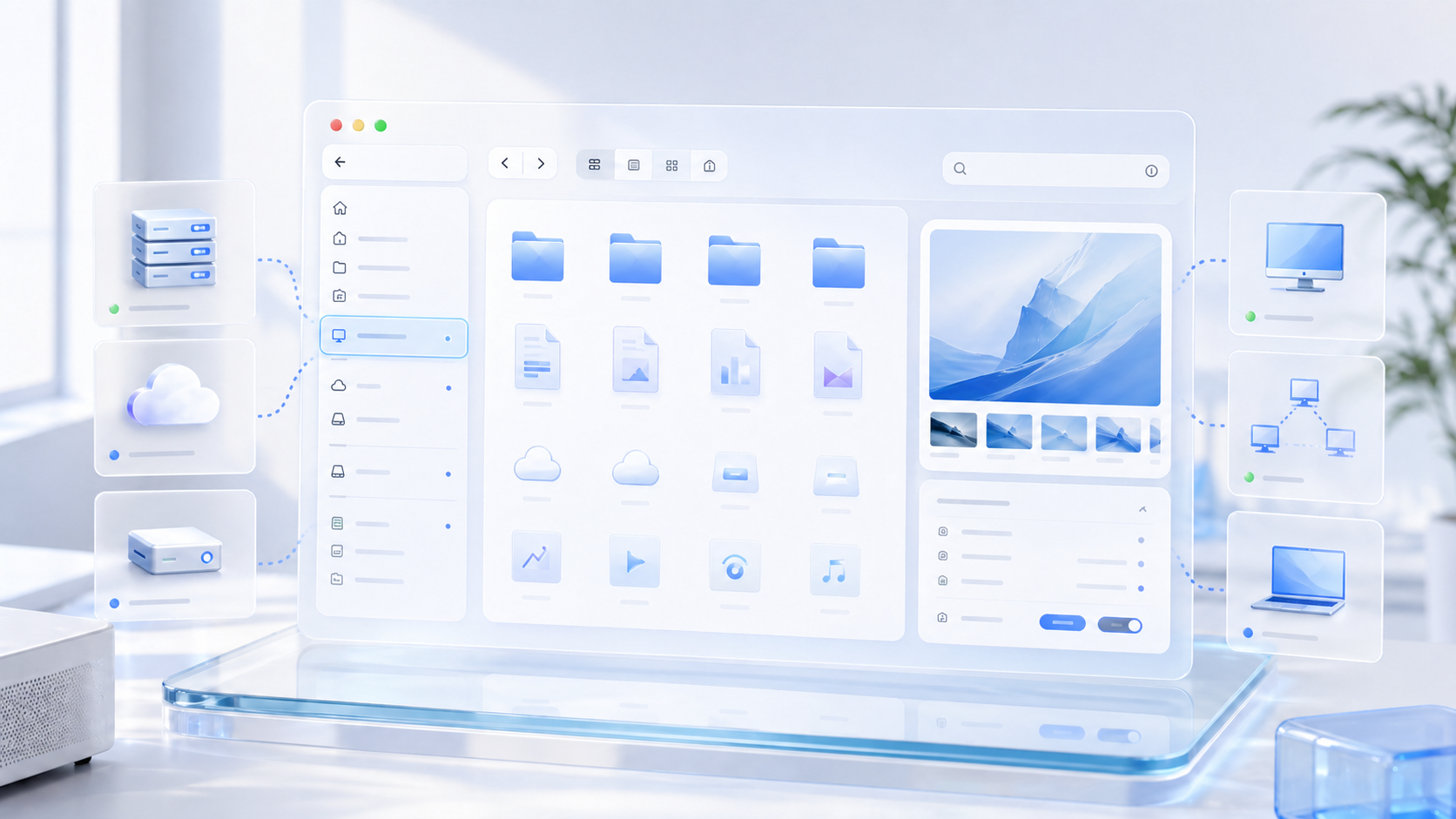
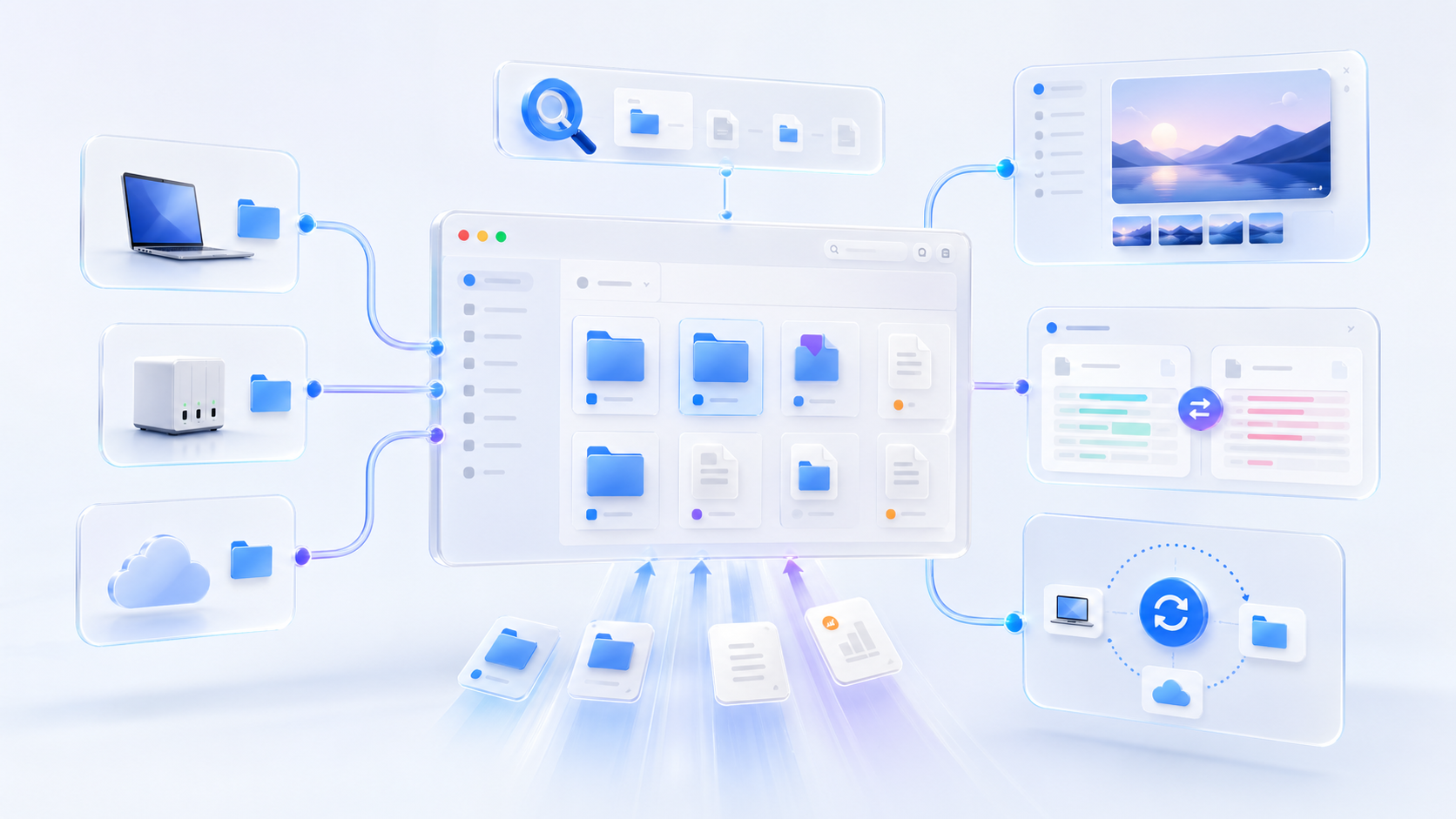
A premium acrylic product visual of GJ File Manager for Mac with folders, tabs, preview, and connected file sources
macOS native desktop workflow
Tabs repeated folder work के लिए
990 current build
Local authorization और Keychain storage

Feature stories

हर capability का अपना stage।

Global search product visual with files, calendar, mail, and connected sources
Mail और Calendar sources Local files और indexes Spacedrive libraries
01

जहाँ काम छिपता है वहाँ global search।

एक Mac command surface से workspaces, local indexes, Apple Mail, Calendar और connected file libraries में search करें।

Files Mail Calendar
  • Tool बदले बिना project material खोजें।
  • File manager के भीतर रहते हुए results narrow करें।
  • Spacedrive-backed sources को उसी mental model में रखें।
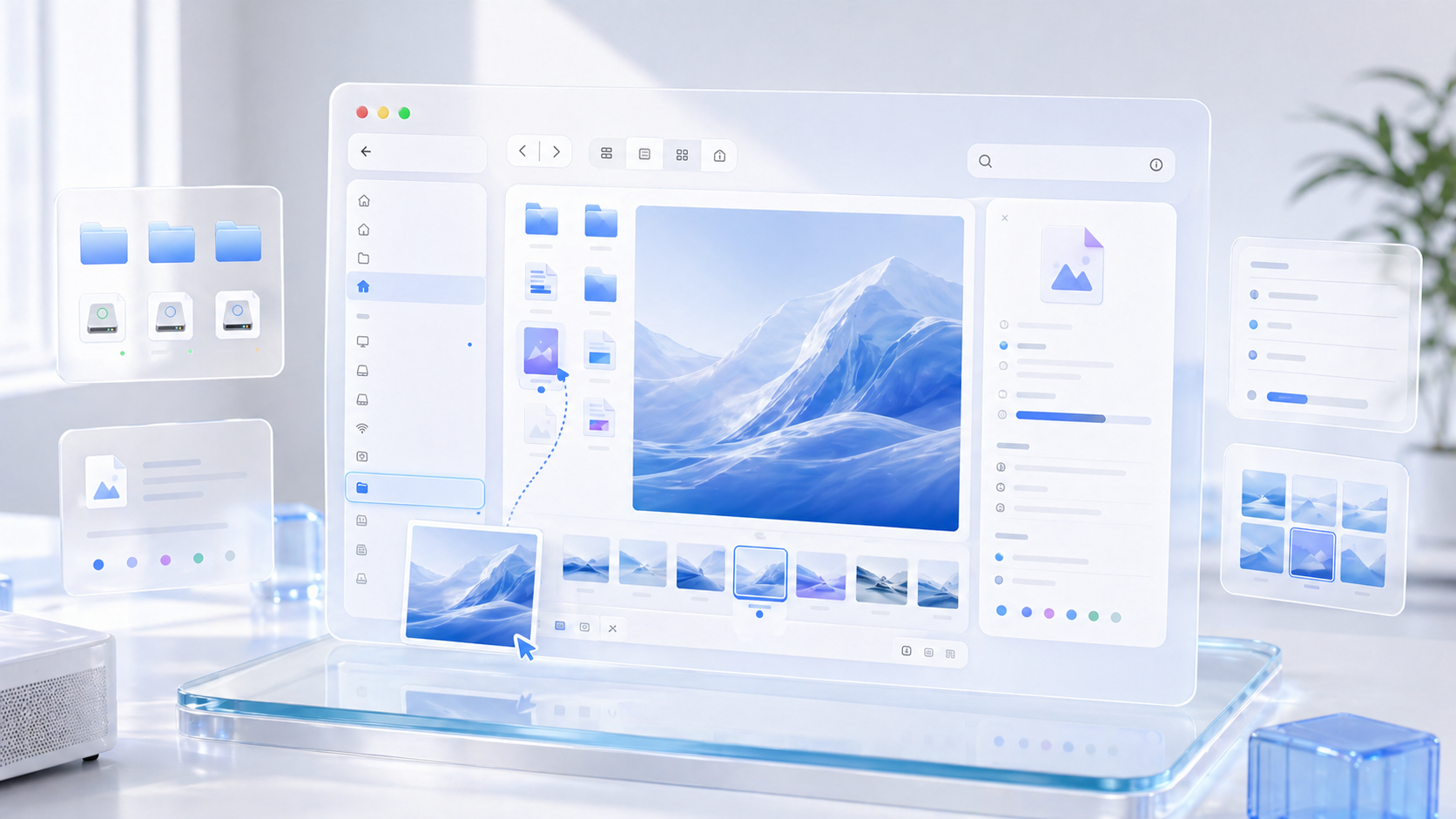
Preview and inspector product visual with thumbnails and metadata panels
Quick Look panel Hover preview Metadata inspector
02

पहले preview। जरूरत पर ही खोलें।

Quick Look, hover preview, thumbnails और metadata summaries context switching घटाते हैं जब आपको सिर्फ file confirm करनी हो।

Quick Look Hover preview Inspector
  • Images, media, documents और metadata को वहीं inspect करें।
  • किसी दूसरी app में जाने से पहले right-side inspector उपयोग करें।
  • Dense folders में कम interruptions के साथ तेजी से आगे बढ़ें।
Folder comparison product visual with split panes and sync indicators
Matched और missing filters Side-by-side status Sync decisions
03

Folders compare करें और next move साफ रखें।

Missing और changed items को side by side देखें, text differences review करें, फिर fill, overwrite या mirror sync जानबूझकर चुनें।

Text diff Folder diff Sync choices
  • Source files और पूरी folders compare करें।
  • Sync से पहले missing items और changed versions पहचानें।
  • Decisions को एक command के पीछे छिपाने की जगह visible रखें।
Network file sources product visual with local folders, drives, servers, and cloud entries
SMB और SFTP entries Cloud folder binding External devices
04

Remote sources को उसी sidebar में लाएँ।

Local workspaces, external devices, servers, cloud drives और Spacedrive entries एक predictable navigation model share करते हैं।

SMB/SFTP Cloud drives External devices
  • SMB, SFTP, FTP, FTPS, WebDAV, NFS और AFP model करें।
  • Dropbox, OneDrive, WPS और Baidu Netdisk workflows plan करें।
  • Connection status और setup expectations visible रखें।
Workspace and tabs product visual with drag and drop between folders
Tabs और view modes Drag targets Custom folder surfaces
05

Tabs, drag targets और view modes पास रहें।

List, icon और column views के बीच switch करें, files को tab targets पर drag करके route करें, और related folders साथ खुले रखें।

Tabs Drag/drop Column view
  • Folders को tabs में खोलें और useful views duplicate करें।
  • Task बड़ा होने पर tab को new window में move करें।
  • Folder icons, backgrounds, shortcuts और mouse behavior personalize करें।
Local-first privacy product visual with folder permissions and keychain-style security
Folder authorization Keychain credentials Local index
06

Design में local-first, default में explicit।

Folder access intentionally authorize होता है, locally remembered रहता है, और network credentials native Keychain storage के आसपास design हैं।

Permissions Keychain Local index
  • Folder permissions visible और recoverable रखें।
  • Silent broad access के बजाय local authorization उपयोग करें।
  • Privacy messaging को real macOS behavior से aligned रखें।
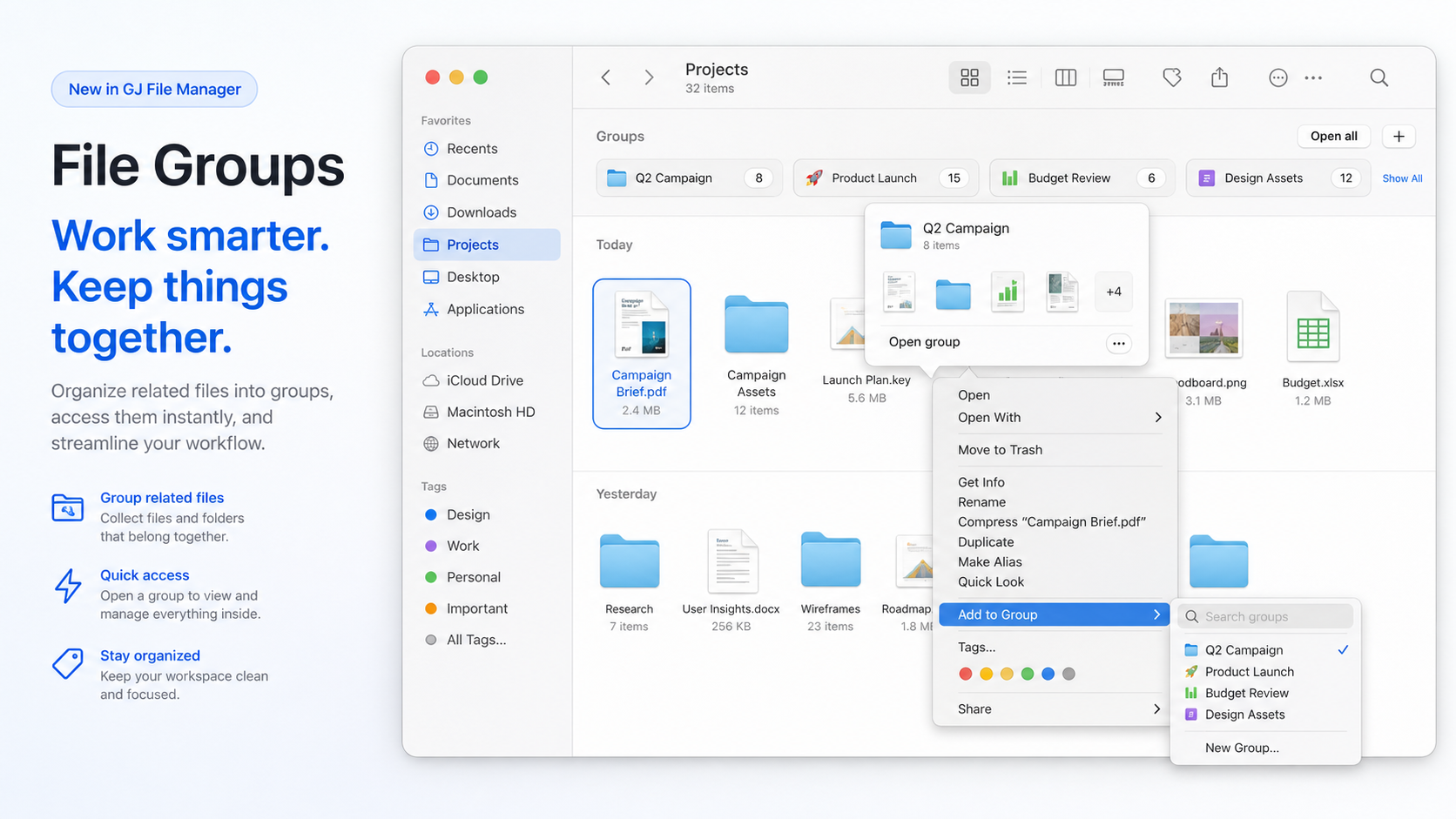
File groups product visual with group shelf, hover preview, and add-to-group context menu
Group shelf Context menu add Open-all preview
07

File groups related work को साथ रखते हैं।

Groups बिखरे favorites को named collections में बदलते हैं जिन्हें preview, edit और open किया जा सकता है, original disk layout बदले बिना।

Group shelf Hover preview Open all
  • दो या अधिक selected items से group बनाएँ।
  • Context menu से existing groups में files या folders जोड़ें।
  • Custom icons और availability checks collection को readable रखते हैं।
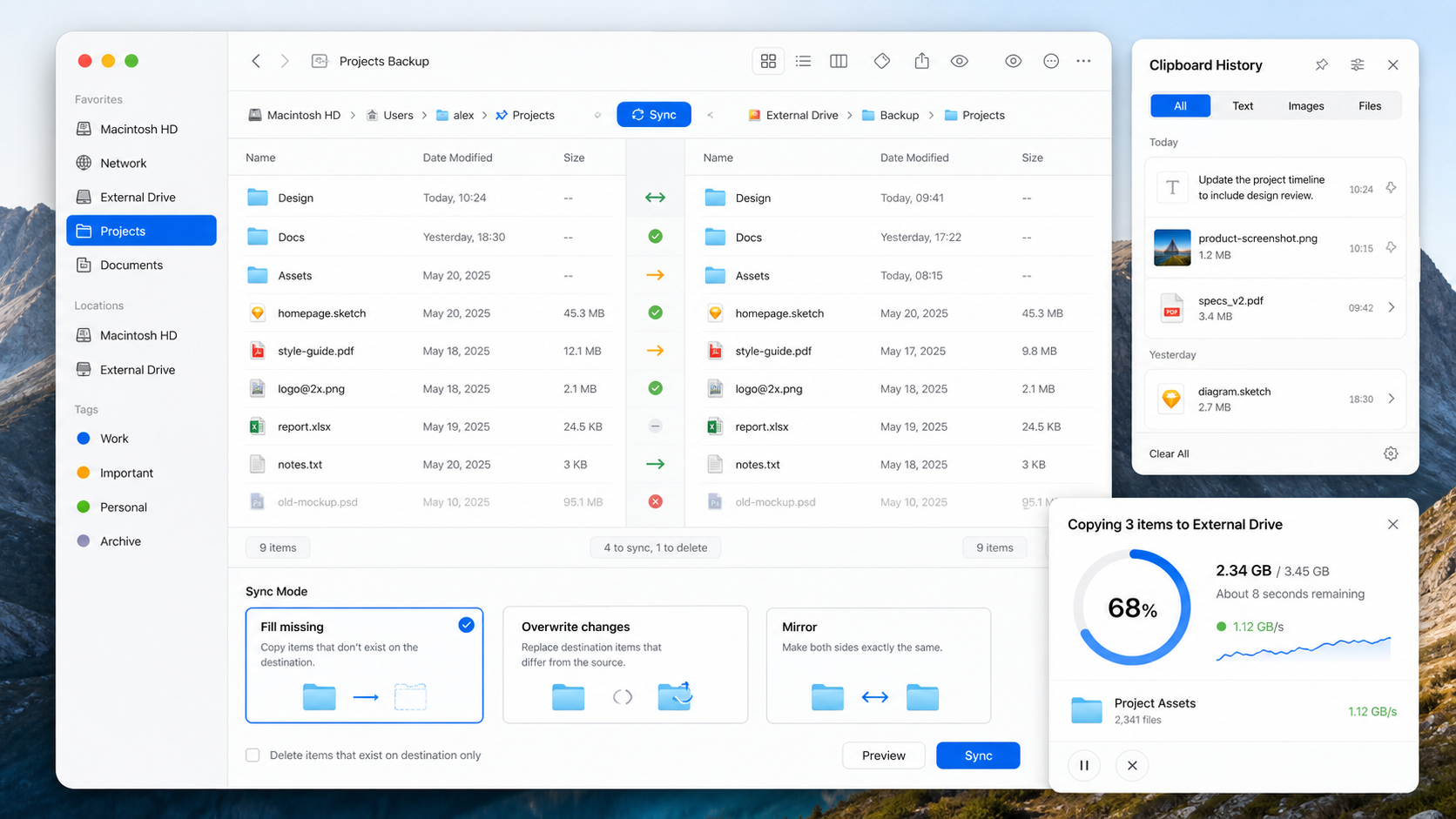
Operation progress and folder sync product visual with progress charts and clipboard history
Copy progress ring Sync mode cards Clipboard drawer
08

Long file work visible रहता है।

Copy progress, folder sync और clipboard recovery hidden background work नहीं, active workflows की तरह दिखते हैं।

Progress Sync modes Clipboard
  • Large copy और directory sync operations का progress देखें।
  • Comparison results से fill missing, fill and overwrite या mirror sync चुनें।
  • Recent clipboard content को text, file name या media type से search और restore करें।
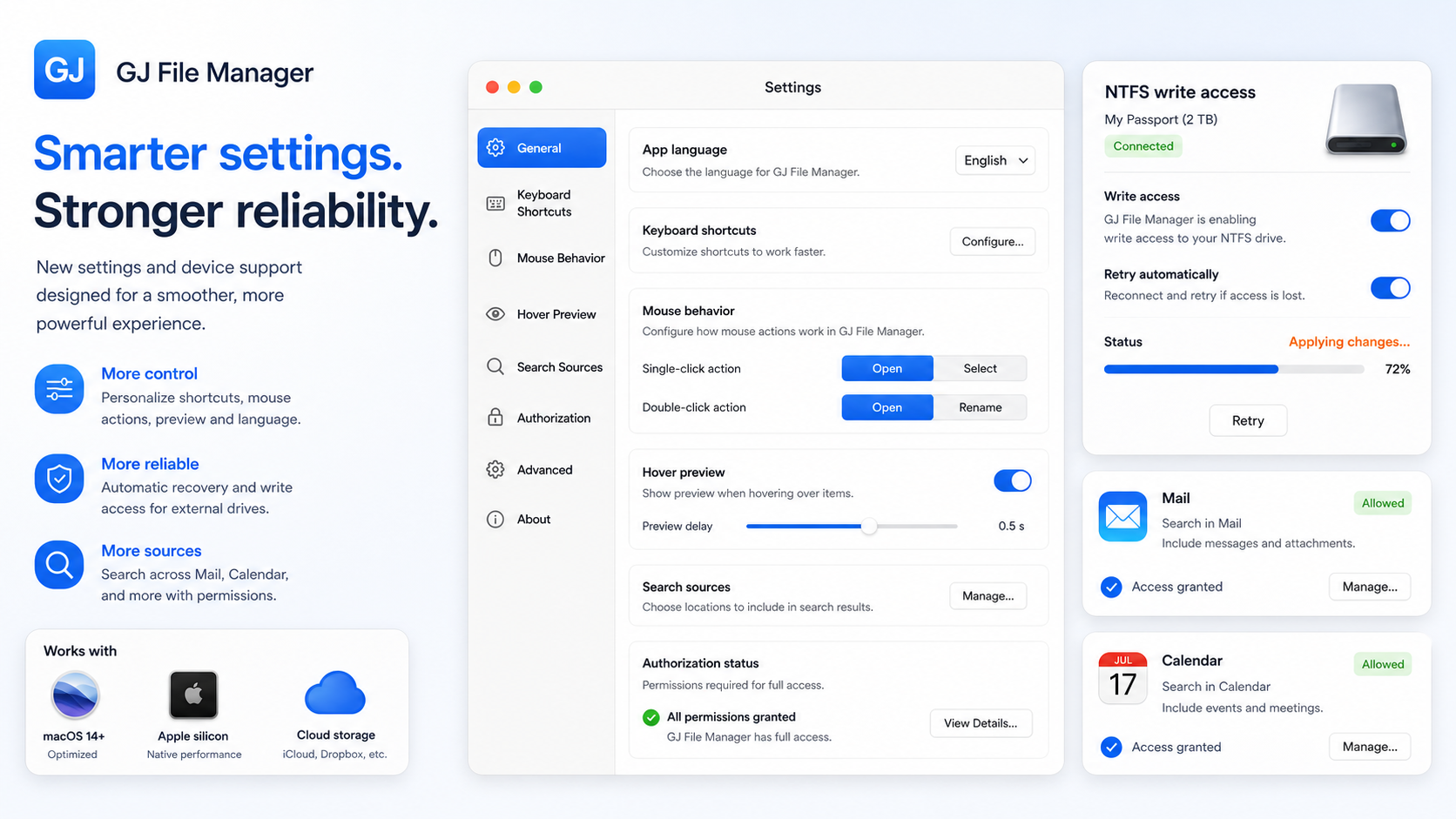
Settings and reliability product visual with language, shortcuts, hover preview, search source permissions, and NTFS write access
Language और shortcuts Mail और Calendar permissions NTFS write guidance
09

Settings, sources और device recovery surfaced हैं।

नई control surfaces personalization और reliability को visible product promise बनाती हैं।

Controls Mail और Calendar Device helpers
  • Language, shortcuts, mouse actions, hover preview और clipboard limits tune करें।
  • Mail और Calendar search-source permissions explicitly manage करें।
  • macOS requirements छिपाए बिना NTFS write access और authorization recovery guide करें।
GJ File Manager workflow visual connecting local folders, network files, search, preview, compare, and sync

Workflow map

Local folder से network source तक, वही mental model रखें।

Sidebar workspaces, network files और external devices अलग करता है; main canvas browsing, search, drag and drop, batch actions और comparison पर केंद्रित रहता है।

Workspace sidebar Batch actions Clipboard history
  • Copy, move, compress, extract, rename, trash और restore एक command surface से करें।
  • Project material जल्दी move हो तो recent text, images, videos, audio और files के लिए clipboard history उपयोग करें।
  • हर बार workspace rebuild किए बिना trusted locations पर लौटें।

Store

एक product version, एक roadmap।

Current version

GJ File Manager

Local workspaces, preview, search, comparison और network workflows के लिए native macOS file manager।

Mac App Store version उपलब्ध

Store path अलग product tier नहीं है। यह उसी GJ File Manager experience का planned distribution path है।

  • Mac App Store पर उपलब्ध संस्करण: 2.98
  • नीचे संस्करण 2.94 की ऐतिहासिक जानकारी है। वर्तमान App Store संस्करण 2.98 है।
  • Feedback: linquce@sosogeo.com

Support

Setup notes, privacy details और feedback।

GJ File Manager macOS folder authorization follow करता है। अगर folder नहीं खुलता, app से फिर authorize करें और remembered permission list देखें।

Mac app कहाँ से प्राप्त करूँ?

Download page खोलें, फिर GJ File Manager install या update करने के लिए Apple की official App Store listing पर जाएँ।

File data कहाँ जाता है?

Authorized file browsing, remembered paths और workspace choices local रहने के लिए design हैं। Network credentials Keychain storage के आसपास design हैं।

कौन से network sources planned हैं?

App SMB, SFTP, FTP, FTPS, WebDAV, NFS, AFP, Dropbox, OneDrive, WPS, Baidu Netdisk और Spacedrive entries model करता है।

Issues कैसे report करूँ?

App version, build number, macOS version और वह exact folder, search, preview या network workflow भेजें जिसने problem trigger किया।

मार्गदर्शिकाएँ

सिस्टम बदला है। काम अब भी पूरा करना है।

Windows से macOS आने का अर्थ यह नहीं कि आपकी आदतें गलत हैं। ऊपर का फ़ोल्डर खोलना, पथ देखना या दो जगहें खुली रखना अलग लग सकता है। GJ File Manager इन क्रियाओं को साथ लाकर अपनी दिनचर्या बनाने में मदद करता है। Finder में भी टैब, Quick Look और फ़ाइल क्रियाएँ हैं; यह अनुप्रयोग काम व्यवस्थित करने का दूसरा तरीका देता है।